Why Your Phone Says One Thing and Your Exchange Says Another

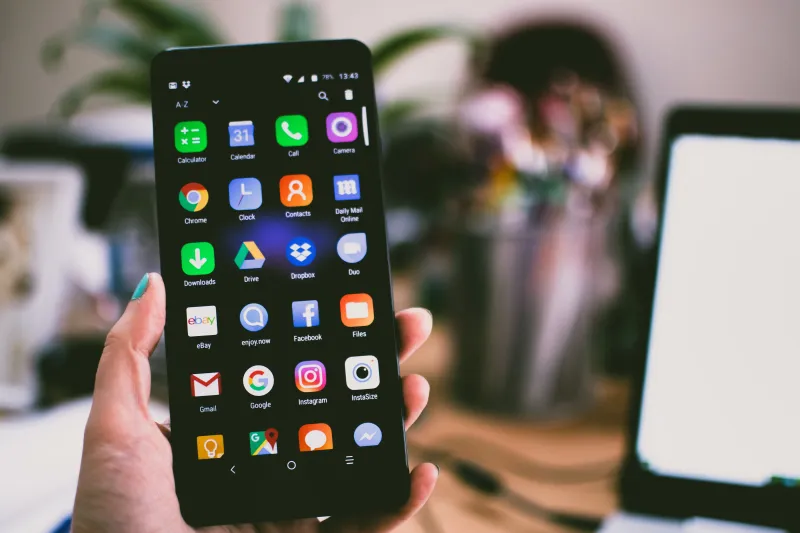
Photo: François GOGLINS, CC BY-SA 4.0, via Wikimedia Commons
You're standing in line at a coffee shop, you pull out your phone, glance at your portfolio, and smile. Nice. Up 4% since yesterday. Then you get home, crack open your laptop, log into the actual exchange, and — wait. That number doesn't match. Not even close.
This happens more than most people realize, and it's not just a cosmetic annoyance. When your mobile balance and your exchange account tell two different stories, it can mess with your trading decisions, your tax estimates, and your general sense of what you actually own. Let's break down exactly why this happens and what you can do about it.
The App Is Showing You a Snapshot, Not a Live Feed
Here's the thing about most mobile crypto apps: they aren't pulling your balance in real time, all the time. That would drain your battery fast and hammer the app's servers. Instead, they cache data — meaning they store a recent version of your balance and show you that until the next refresh cycle kicks in.
Depending on the app and your connection, that cache could be anywhere from a few minutes to several hours old. In a fast-moving market, that lag matters. If Bitcoin dropped 3% in the last 45 minutes while your app was showing you yesterday's closing price, you're looking at phantom gains that have already evaporated.
The fix here is simple but easy to forget: always manually refresh your balance before making any decision based on what you see on your phone. Most apps have a pull-to-refresh gesture or a sync button somewhere in the interface. Use it.
Fees Are Calculated Differently Across Platforms
This one catches people off guard. Your portfolio tracker app might be showing you the gross value of your holdings — the raw dollar amount based on current prices — without factoring in trading fees, network gas costs, or withdrawal charges that would apply if you actually tried to move or sell those assets.
Your exchange, on the other hand, might be displaying a net figure that already accounts for estimated fees. Or it might show a slightly different number based on its own internal fee schedule. Neither is lying to you, exactly. They're just calculating from different starting points.
This is especially noticeable if you're holding tokens on a network with high gas fees, like Ethereum. The difference between your "on paper" balance and what you'd actually walk away with after a transaction can be meaningful — sometimes hundreds of dollars on a mid-size portfolio.
Multi-Platform Aggregation Creates Its Own Math Problems
A lot of mobile apps are designed to pull balances from multiple exchanges and wallets all at once, giving you a single unified number. That's a genuinely useful feature. But it also introduces a new layer of potential discrepancy.
Each data connection — whether it's an API key linked to Coinbase, a read-only wallet address for your cold storage, or a manual entry you added yourself — is its own source of truth with its own sync timing. If one of those connections is lagging, returning an error, or showing stale data, your total portfolio number is going to be off.
The sneaky part? The app usually won't flag this for you. It'll just quietly display whatever it has, and you won't know that one of your wallet connections hasn't updated in six hours unless you specifically check.
Pending Transactions Are the Invisible Variable
Let's say you placed a limit order an hour ago and it partially filled. Or you initiated a transfer between wallets that's still confirming on the blockchain. During that in-between period, different platforms handle the math differently.
Some apps show your balance as if the transaction already completed. Others show it as if the transaction never happened. And some try to split the difference in ways that honestly just create more confusion. Until that transaction hits a final confirmed state, the numbers across your platforms are going to be out of sync — and there's not much you can do except wait for the blockchain to catch up.
This is worth keeping in mind whenever you're trying to reconcile balances after a trade. Give it time. Blockchain confirmation isn't instant, even when your app makes it feel like it should be.
Your "Price" Might Be Coming From Different Sources
Here's something that surprises a lot of people: the price your portfolio app uses to calculate your balance might not be the same price your exchange is using. Aggregator apps often pull from a blended average across multiple exchanges, or from a specific data provider like CoinGecko or CoinMarketCap. Your exchange uses its own internal order book.
For major coins like Bitcoin or Ethereum, the spread between these sources is usually tiny — a few dollars at most. But for smaller altcoins with lower trading volume, the difference can be significant. If your app is pricing a mid-cap token based on a global average and your exchange is showing you the actual bid price on its specific platform, those two numbers might genuinely be far apart.
This isn't anyone doing anything shady. It's just how fragmented the crypto market still is. There's no single universal price feed the way there is for stocks on a centralized exchange.
How to Get to Your Real Number
So what do you actually do when you need to know your true portfolio value? A few practical steps:
Go to the source. Log into each exchange directly and pull the balance from there. Don't rely on aggregated totals from a third-party app when the stakes are high — like when you're making a big trade or calculating taxes.
Check for pending activity. Before comparing balances, make sure there are no open orders or in-flight transfers skewing the numbers. Cancel or wait for completion before trying to reconcile.
Account for fees manually. If you're estimating what you'd have after a sale or withdrawal, subtract estimated fees yourself. Don't assume the number you see is what you'll receive.
Sync all your connections. In whatever portfolio app you're using, manually refresh each linked account. Look for any connections flagged as having errors or stale data.
Keep a simple spreadsheet for tax season. Don't trust your app's historical data alone when it comes time to file. Cross-reference with your exchange's actual transaction history.
The Bottom Line
Your mobile portfolio view is a convenience tool, not a ledger. It's incredibly useful for keeping tabs on your holdings throughout the day, but it's built for speed and usability, not accounting precision. The discrepancies you see between your phone and your exchange account aren't signs that something is broken — they're just the natural result of how these systems are stitched together.
Knowing that going in means you won't make a panicked decision based on a number that was cached three hours ago. And that's the kind of edge that actually matters when you're managing your blockchain portfolio from your pocket.