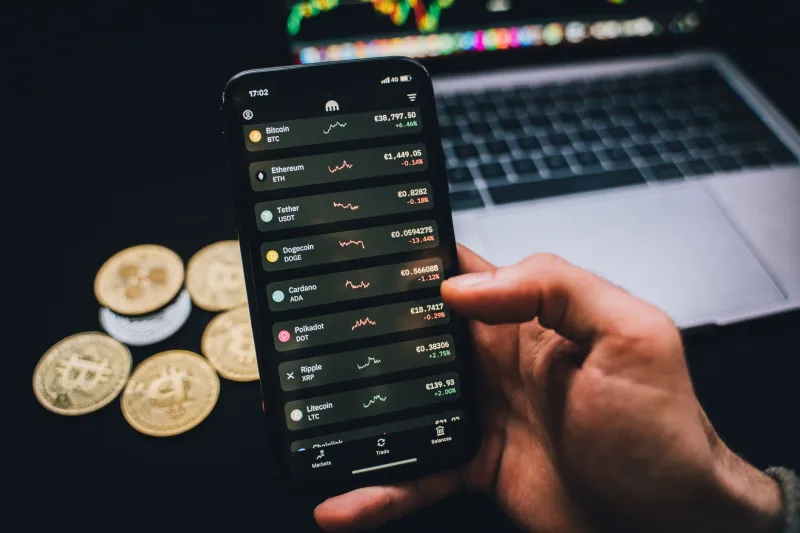
Your Crypto App Wants You Anxious: The Psychology Behind Every Buzz and Banner

Let's be direct about something the industry doesn't love to advertise: most mobile crypto apps are not purely built to help you invest wisely. They're built to keep you engaged. And in the attention economy, engagement means notifications, alerts, and the particular flavor of low-grade dread that makes you open an app seventeen times a day.
This isn't a conspiracy theory — it's a business model. Trading platforms earn revenue when you trade. More trades, more revenue. And the fastest, most reliable way to trigger trades is to trigger emotions. Fear, FOMO, urgency, excitement. Your phone is a delivery mechanism for all of it.
Here's what's actually happening behind those buzzes and banners — and how to audit your own setup before it costs you more money.
The Psychological Threshold Problem
Have you noticed that price alerts on most apps default to 5% or 10% movement thresholds? That's not an accident. Behavioral finance research has long established that percentage-based framing triggers stronger emotional responses than absolute dollar amounts. A "Bitcoin is down 5%" notification hits differently than "Bitcoin dropped $2,300" — even when they describe the exact same event.
But it goes deeper. Many platforms set their default alert thresholds at levels specifically calibrated to catch normal market volatility. Crypto moves. A 3-5% daily swing in a major coin is practically routine. When your app sends you a push notification every time that happens, it's not informing you — it's training you to feel like something is always happening that requires your attention.
This is called variable ratio reinforcement, and it's the same mechanism that makes slot machines addictive. Sometimes the alert means nothing. Sometimes it's the start of a real move. You can never tell which without checking. So you always check.
The 'Limited Liquidity' Warning That Usually Isn't
Some trading apps have introduced warning labels on certain trades — messages like "low liquidity detected" or "limited availability at this price." In legitimate cases, these warnings serve a real purpose: they're telling you the order book is thin and your trade might not fill at the expected price.
But these warnings have also been observed appearing during normal market conditions on smaller tokens, often framed in urgent, time-pressured language. "Act now before conditions change" is a sales tactic, not a financial disclosure. If a warning creates urgency without giving you specific, actionable information about what the risk actually is, treat it skeptically.
A real liquidity warning should tell you the spread, the estimated slippage, and what price you're likely to actually receive. Vague urgency language tells you nothing except that someone wants you to move fast — which is almost never in your interest.
The Countdown Timer Trick
Several popular mobile platforms have introduced time-limited offers: reduced fees for the next hour, a staking bonus that expires at midnight, a promotional APY available "while supplies last." These mechanics are borrowed directly from e-commerce and are extraordinarily effective at bypassing rational decision-making.
When you see a countdown timer, your brain shifts from evaluating the quality of the decision to simply deciding whether to act before time runs out. The timer becomes the frame. Whether the underlying trade or product is actually good for your portfolio becomes secondary.
The audit question to ask yourself is simple: if this offer weren't time-limited, would I still be interested? If the answer is yes, take your time to evaluate it properly. If the answer is "I'm not sure," that uncertainty is your answer.
How to Actually Audit Your Notification Settings
Most people have never opened their notification settings with any intention. They accepted the defaults when they installed the app and haven't touched them since. Here's a framework for doing it properly.
Step one: Go nuclear first. Turn off all non-essential notifications from your crypto apps entirely. All of them. Live with that for a week. Notice what you actually missed versus what you thought you'd miss. You'll probably find the gap is significant.
Step two: Add back only what changes your behavior. The only notifications worth having are ones that prompt a specific, pre-planned action. A price alert that fires when Bitcoin hits your buy target is useful. An alert that tells you a coin you don't own is "trending" is not — it's just FOMO delivery.
Step three: Set thresholds that matter to your strategy. If you're a long-term holder, a 5% daily move shouldn't trigger anything from you. Maybe set alerts at 20-25% movements, which signal something actually unusual is happening. If you're actively managing shorter-term positions, define your specific entry and exit targets and only alert on those.
Step four: Audit the language of the alerts you keep. If an alert uses words like "urgent," "now," "limited," or "don't miss," treat that phrasing as a red flag. Good alerts give you data. Manipulative alerts give you emotional pressure.
The Deeper Issue With Always-On Crypto News
Many mobile crypto platforms have integrated news feeds, social sentiment trackers, and influencer activity monitors directly into the trading interface. The implicit message is that all of this information is relevant and actionable. It almost never is.
Market-moving news in crypto tends to be significant, verifiable, and widely reported. The stuff filling most in-app news feeds is noise — speculation, opinion, and repackaged social media content. Consuming it constantly doesn't make you a better-informed trader; it makes you a more anxious one.
Consider moving your crypto news consumption to a separate, dedicated time block — and a separate app or website. When news and trading live in the same interface, every article becomes a prompt to do something.
What Good Notification Design Actually Looks Like
Not every platform is running the same playbook. Some apps — and S8B is built with this philosophy in mind — are designed around giving users the information they need without manufacturing urgency. The difference shows up in details: alerts that confirm a trade executed rather than nudging you to make one, performance summaries that give you context rather than raw price tickers, and settings that let you customize meaningfully rather than just toggle everything on or off.
The mobile-first model works best when your phone surfaces relevant information at the right moments — not when it's constantly manufacturing reasons to open the app. That's the difference between a tool and a trap.
Know which one you're holding.