Why Your Trade Filled Fine Last Tuesday but Failed on Friday: The Network Problem Nobody Warned You About
You placed the same type of trade, at a similar time of day, on the same app. One filled instantly. The other sat there, then came back rejected — or worse, filled at a price you didn't agree to. You blamed the exchange. Maybe you blamed yourself.
Here's what actually happened: your network did it.
At S8B Crypto, we talk a lot about having your blockchain portfolio in your pocket. But your pocket is in different places every day — and those places matter more than most traders realize.
The Millisecond Economy of Crypto Order Execution
Crypto markets move fast. Not "stock market fast" — genuinely, mechanically fast. Major exchanges process hundreds of thousands of orders per second. The difference between a limit order filling at your price and missing entirely can be a matter of milliseconds.
When you hit "buy" on your mobile app, here's what actually happens:
- Your app packages your order and sends it over your network to the exchange's API servers.
- The exchange validates and queues your order.
- The matching engine pairs your order with a seller.
- Confirmation travels back to your app.
Every step in that chain has latency — a delay measured in milliseconds. Under normal conditions, this round trip takes somewhere between 50 and 300 milliseconds on a decent connection. That sounds fast. In crypto, it's the difference between catching a price and chasing one.
4G vs. 5G: It's Not Just About Download Speed
Most mobile crypto traders are on 4G LTE for a significant portion of their day. That's fine for streaming video. For trading, it introduces some variables worth understanding.
Latency, not bandwidth, is the issue. Your trade order is a tiny packet of data. You don't need high bandwidth to send it — you need low latency (the time it takes for data to make a round trip). 4G LTE typically delivers latency between 30 and 70 milliseconds under good conditions. 5G, when you're actually on a true 5G connection (not the "5G E" that AT&T used to slap on enhanced 4G towers), can drop that to single-digit milliseconds.
For most casual trades, this difference is invisible. For limit orders in a fast-moving market, it can matter significantly.
Network congestion compounds the problem. A 4G tower serving a stadium during a game, or a busy urban corridor at rush hour, is handling thousands of simultaneous connections. Your order competes with everyone else's data. Latency spikes. Packets get delayed or retransmitted. Your "instant" trade becomes a 2-second trade — and 2 seconds in a volatile crypto market is an eternity.
The Geography Factor: Why Location Changes Everything
Here's something that surprises most mobile traders: where you physically are when you trade affects your execution quality.
Major crypto exchanges locate their primary API servers in specific data centers — typically in Northern Virginia, Chicago, or on the West Coast in the US. The physical distance between your device and those servers contributes to latency. A trader in Chicago executing a trade on a Coinbase-connected app is geographically closer to those servers than a trader in rural Montana. The difference in raw round-trip time can be 20-40 milliseconds.
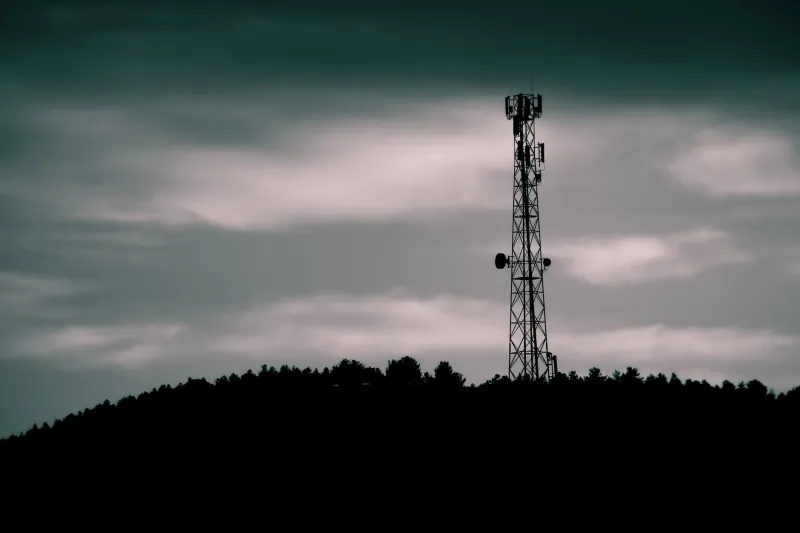
That gap widens dramatically when network infrastructure quality enters the picture. Urban areas have denser cell tower coverage, more fiber backbone connections, and better network redundancy. Rural areas often rely on fewer towers, sometimes with microwave backhaul connections instead of fiber — and microwave backhaul introduces additional latency and is more susceptible to weather interference.
Practical example: A trader in downtown Austin on 5G might see consistent 40-60ms round-trip times to an exchange API. A trader in a small town in rural Kansas on 4G with microwave backhaul might see 150-300ms — and spikes to 500ms or more during congestion or bad weather.
WiFi Isn't Always the Answer
Conventional wisdom says "use WiFi when you can." For crypto trading, it's more complicated.
A good home WiFi connection on a fiber internet plan is genuinely excellent for trading — low latency, stable, fast. But public WiFi is often worse than cellular. Coffee shop WiFi, hotel networks, and airport connections are frequently over-subscribed, poorly maintained, and routed through multiple hops before they hit the open internet. Your local Starbucks WiFi might feel fast for browsing but introduce 200ms of latency that your 4G connection wouldn't.
Also worth noting: public WiFi has security implications for crypto trading. Unencrypted networks expose your session data. Use a VPN on public WiFi — but know that VPNs add their own latency layer.
How to Diagnose Your Own Network Performance
You don't need to be a network engineer to get a handle on this. Here's a practical approach:
Run a latency test, not just a speed test. Apps like Ping Tools or simply using the ping function in your phone's network diagnostics will tell you your round-trip time to various servers. Compare your latency when you're home on WiFi, on 4G in your neighborhood, and in locations where your trades have historically had issues.
Watch for the "spinning wheel" tell. When you submit a trade and your app shows a loading indicator for more than a second or two, that's a network latency signal. Note where you are when it happens.
Check your signal quality, not just signal bars. Signal bars measure signal strength, not connection quality. You can have four bars on 4G and still have high latency if the tower is congested. Some Android phones let you view actual network stats in developer settings.
Practical Workarounds for Mobile Traders
For limit orders in volatile markets: Place them when you're on your best connection, not when you're in a dead zone. A limit order you place on strong WiFi at home before a volatile news event is better than a frantic limit order placed on a congested 4G connection while the market is already moving.
For market orders: Understand that in a fast-moving market, your fill price is partly a function of how fast your order reaches the exchange. If you're consistently getting worse fills than you expect, network latency is a candidate cause.
Consider your timing: If you know you'll be in a low-coverage area during a high-volatility period (a Fed announcement, a major protocol upgrade), either pre-place your orders or wait until you're on a better connection.
Your portfolio is in your pocket. But your pocket's location shapes every trade you make.