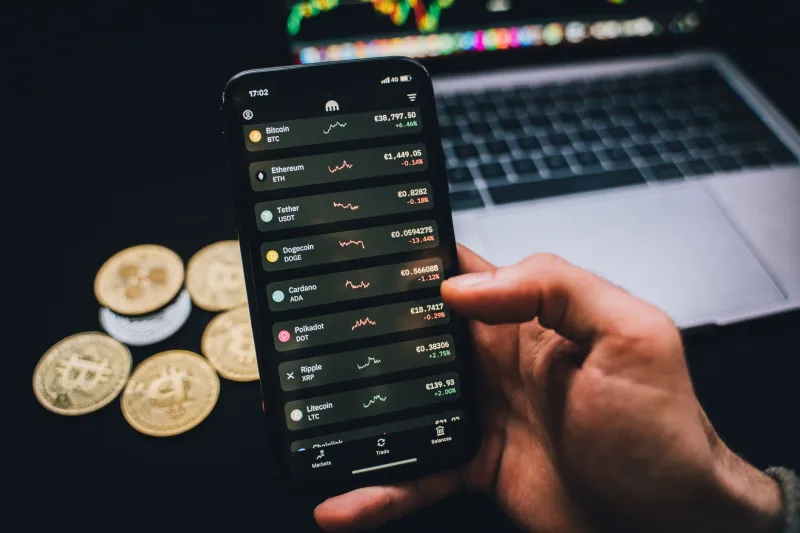
Turn Your Phone Into a Portfolio Command Center (Not a Slot Machine)

Your phone is probably making you a worse trader. Not because it's slow, or because the apps are bad — but because of how you've set it up. Right now, there's a decent chance your home screen opens straight into a live price feed, your notifications buzz every time a coin moves 2%, and your trading button is exactly one tap away from your wallet balance. That's not a portfolio tool. That's a slot machine with better graphics.
The traders who consistently do well on mobile platforms aren't faster or smarter than everyone else. They've just done the unglamorous work of turning their phone into something that looks more like a Bloomberg terminal than a social media app. And the good news? You can do the same thing in about an hour.
The Problem With the Default Setup
Here's a before-and-after worth thinking about. Imagine two traders — let's call them Default Dan and Dashboard Dave.
Default Dan has his crypto app on his home screen. Every morning, he opens it before coffee. He sees his portfolio value, notices Bitcoin is down 4%, and immediately starts scanning for something to do. By noon, he's made two trades he didn't plan. By Friday, he's racked up fees and a minor tax event he'll forget about until April.
Dashboard Dave has a widget on his second screen — the one he has to swipe to reach — that shows only his weekly performance change, not the current dollar value. His price alerts only fire for significant moves, and his trading interface is buried three taps deep behind a confirmation screen he added intentionally. He checks his portfolio twice a day, at set times, like a professional.
Same apps. Completely different outcomes. The difference is architecture.
Step One: Rethink What Your Home Screen Is For
Your home screen is psychological real estate. Whatever lives there is what you'll interact with most. If your crypto app icon sits next to Instagram and your news feed, you're training yourself to treat portfolio decisions like social media scrolling — fast, frequent, and emotionally driven.
Move your trading app off the home screen entirely. Not deleted — just relocated. This one change creates a small but meaningful friction point. That half-second of intentional navigation is often enough to interrupt an impulse trade.
If you want crypto data visible at a glance, use a widget — but choose carefully. Most apps offer widgets that show live price tickers. Skip those. Instead, look for widgets that display your portfolio's performance over a longer window: 7-day or 30-day change. This reframes how you mentally engage with your holdings. You're not watching a number bounce around; you're watching a trend.
Step Two: Segment Your Holdings Into Buckets
One of the most effective techniques disciplined mobile traders use is portfolio segmentation — and you don't need a separate brokerage account to pull it off. Most quality crypto apps let you create watchlists, tags, or sub-portfolios. Use them.
A simple three-bucket system works well for most people:
- Core Holdings: Your long-term positions. You review these monthly, not daily.
- Active Positions: Shorter-term trades you're actively managing. These get more frequent attention.
- Watchlist: Coins you're researching but haven't bought. Looking doesn't cost you anything.
When your entire portfolio is one undifferentiated list, every asset feels like it needs attention all the time. Segmentation tells your brain which things actually require action today — and which ones don't.
Step Three: Build a Checking Routine, Not a Checking Habit
There's a difference between a routine and a habit. A habit is unconscious — you pick up your phone, open the app, and you're not sure why. A routine is intentional — you check your portfolio at 8 AM and 6 PM, assess what's changed, and close the app.
Set two calendar blocks per day if you need to. During those windows, you review performance, check your active positions, and decide if any action is warranted. Outside those windows, the app stays closed. This sounds rigid, but it's actually liberating — you stop the low-grade anxiety of feeling like you need to be watching the market every minute.
For S8B users specifically, the mobile-first design makes this easy to implement. The platform is built for efficient portfolio review, not compulsive checking — which means a quick two-minute session at your scheduled times is genuinely all you need.
Step Four: Make Trading Intentionally Inconvenient
This sounds counterintuitive, but hear it out. The easier it is to trade, the more you'll trade. And more trading almost never means better returns — it usually means more fees, more taxable events, and more emotionally driven decisions.
Add friction to your trading workflow on purpose. Enable confirmation screens. Require biometric authentication before any trade executes. Set a rule for yourself: any trade over a certain dollar amount requires you to write down your reasoning first — even just in your phone's notes app. If you can't articulate why you're making the trade, that's data.
Some traders go further and remove their payment method from the app, requiring a manual re-link before depositing new funds. That's a strong move if you've noticed a pattern of impulsive buys.
The Bigger Picture
The smartphone is genuinely the most powerful portfolio tool ever created for regular people. You have real-time data, instant execution, and access to global markets from your couch. That's remarkable. But the same features that make it powerful also make it dangerous if you're not deliberate about your setup.
The traders who win on mobile aren't the ones who trade the most. They're the ones who've engineered their environment to support good decisions — and made bad ones harder to make accidentally. A little setup time now pays off every single day you're not chasing a candle you never should've touched.
Treat your phone like a dashboard. It'll start performing like one.